Posted (Updated ) in Javascript, PHP

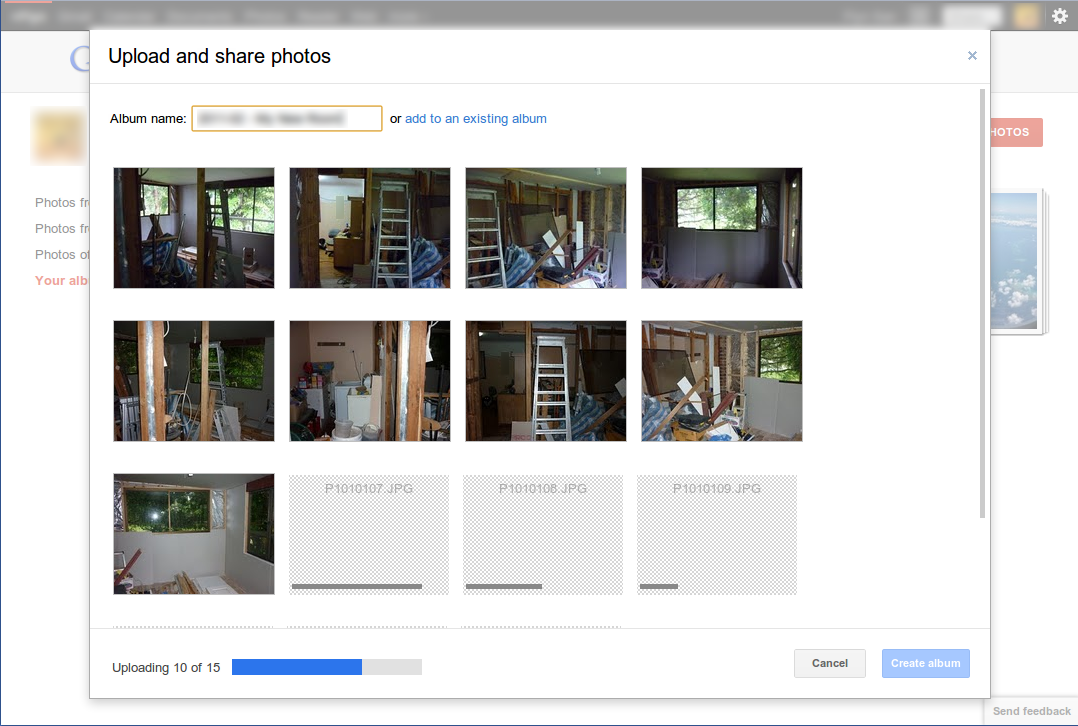
If you’re reading this page (or my blog in general) it’s a pretty safe bet you already have Google+. If you’ve uploaded any photos to Google+ from Chrome or FF, you would also have noticed its snazzy HTML5 file uploader at work. This weekend I took it upon myself to whip up a quick and dirty version of that uploader and share its inner workings with the world.

Google+ Image Uploader

Here’s a short video of my uploader at work:

https://www.youtube.com/watch?v=AXx8cu6rxV4

Requirements:

  • PHP4+
  • HTML5-enabled browser (File API – including drag and drop, XHR2)
  • Some images to upload

Disclaimer: Currently only Firefox and Webkit based browsers meet the requirements above. Opera supports the File API and probably XHR2 (I haven’t tested), however it doesn’t have drag and drop so this tutorial won’t work with it. If you’re curious about whether or not IE will work with this tutorial, I’m already laughing at you.

Download the finished script here.

Read More »

Posted (Updated ) in Linux

Update 2011-10-26: Added support for Ubuntu 11.04+ which uses slightly different FTP folder names

Lack of FTP keepalive functionality in Nautilus has been one of my biggest gripes in Ubuntu for a long time now. It’s infuriating attempting to open a folder only to discover the session has timed out and I need to reconnect. Well that problem is now solved!

Run the following bash script in the background each time you boot and you’re good to go:

#!/bin/bash

while true
do
	#10.10 and earlier
	ls ~/.gvfs/ftp* &> /dev/null
	#11.04+
	ls ~/.gvfs/FTP* &> /dev/null
	sleep 15
done

Many thanks go to the user who originally posted this script in a mailing list here.

PS. If anyone knows how to integrate this into a nautilus script I’d much appreciate it!

Read More »

Posted (Updated ) in Linux, Uncategorized

I’m currently working on a mobile version of an existing website utilizing the Responsive Web Design paradigm. One problem I instantly came across was a perplexing page width issue on Android. Even with a blank, HTML5 webpage, the page width was appearing at almost twice the width of my phones native resolution (and 2.5x that of my browsers width). For the record, I’m using Android 2.3.3 vanilla with the default browser on a Nexus One.

Firstly an example:

<!DOCTYPE html>
<html xmlns="http://www.w3.org/1999/xhtml">
<head>
<meta http-equiv="Content-Type" content="text/html; charset=utf-8" />
<title>Untitled Document</title>
<script type='text/javascript' src='https://ajax.googleapis.com/ajax/libs/jquery/1.6.2/jquery.min.js' />
<script type='text/javascript'>
	$(document).ready(function() {
		document.body.innerHTML = $(window).width();
	});
</script>
</head>
<body>
</body>
</html>

The above code gives a blank, HTML5 webpage that will display the pages width on load. When loaded, it would print ‘800’ on the screen – indicating the page was set to an 800px width. This was clearly wrong.

I quickly noticed that using the following doctype:

<!DOCTYPE html PUBLIC "-//WAPFORUM//DTD XHTML Mobile 1.0//EN" "http://www.wapforum.org/DTD/xhtml-mobile10.dtd">

gave me the width I was expecting – 320px. Obviously this isn’t an acceptable solution for responsive web design and so another was needed. Meet viewports. With the addition of a simple META tag I was able to fix the issue (albeit losing the ability to zoom in the process). Simply add the following to your HEAD tag and you should be good to go:

<meta name="viewport" content="width=device-width; initial-scale=1.0; maximum-scale=1.0; minimum-scale=1.0; user-scalable=0;" />

With this line added, my page now prints 320 to the screen as it should.

For more information, please see this StackOverflow post on the issue.

Read More »
Posted (Updated ) in Javascript

It appears JQuery Form Validation supports returning a string when using the remote validator but it’s not immediately clear how to do this and the examples tab doesn’t have an example for doing so. Getting this working is actually very easy. All you need to do is return a JavaScript string in your response. Here’s an example:

Firstly, the javascript:

$(document).ready(function() {
	$("#form").validate({
		rules: {
			username: {
				required: true,
				remote: "/your/url.php"
			}
		},
		messages: {
			username: "Username is required."
		}
	});
});

Pretty standard, nothing out of the ordinary here. Now for the server side response. As I’m sure you’re aware, you can return ‘true’ or ‘false’ however if you want a string, it needs to be formatted as a javascript string:

// /your/url.php
echo '"This username is already taken. Please enter a different username and try again."';

Read More »