- Pidgin Attention button successfully hidden
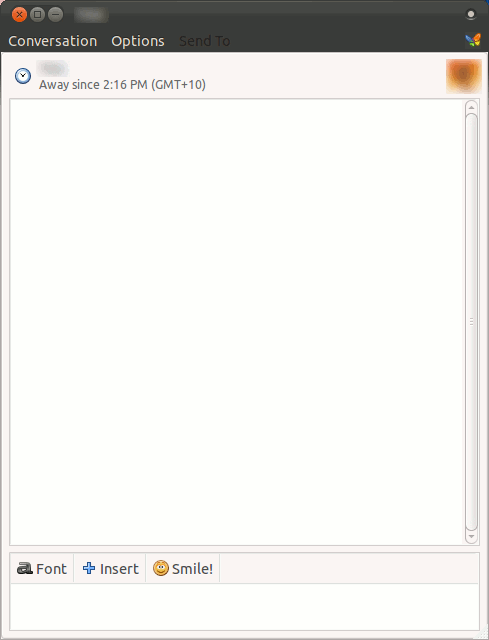
Ever since the developers added the Attention button to Pidgin, one of the most common questions asked is how to remove it. I finally set some time aside to answer this question.
- Download the plugin that does exactly this from the Pidgin developer page.
- Install the Pidgin developer dependencies if you haven’t already:
sudo apt-get install ubuntu-dev-tools subversion g++ pidgin-data libpurple0 libpurple-dev pidgin-dev libgtk2.0-dev
This step is important or you’ll receive errors like the following:
$ make
[CC] hide_attention_button.o
Package pidgin was not found in the pkg-config search path.
Perhaps you should add the directory containing `pidgin.pc'
to the PKG_CONFIG_PATH environment variable
No package 'pidgin' found
Package purple was not found in the pkg-config search path.
Perhaps you should add the directory containing `purple.pc'
to the PKG_CONFIG_PATH environment variable
No package 'purple' found
Package gobject-2.0 was not found in the pkg-config search path.
Perhaps you should add the directory containing `gobject-2.0.pc'
to the PKG_CONFIG_PATH environment variable
No package 'gobject-2.0' found
Package gtk+-2.0 was not found in the pkg-config search path.
Perhaps you should add the directory containing `gtk+-2.0.pc'
to the PKG_CONFIG_PATH environment variable
No package 'gtk+-2.0' found
hide_attention_button.c:24:20: fatal error: plugin.h: No such file or directory
compilation terminated.
make: *** [hide_attention_button.o] Error 1
- Drop the .c and Makefile into a folder and in a terminal run the following commands:
make
sudo make install
If all went well you’ll see:
$ make
[CC] hide_attention_button.o
[SHLIB] hide_attention_button.so
$ sudo make install
mkdir -p /`pkg-config --variable=prefix purple`/lib/purple-2
install hide_attention_button.so /`pkg-config --variable=prefix purple`/lib/purple-2
Restart pidgin and enable the plugin under Tools – Plugins – Hide Pidgin Attention Button.
Close but not Perfect
Although this plugin really does hide your Attention button, it still exists if you hover over where it used to be:
- The button is much smaller but still clickable
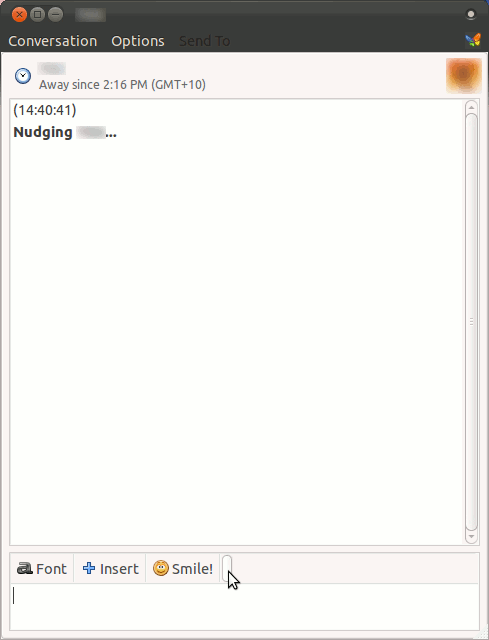
At least it’s much smaller now and less likely to be accidentally clicked!