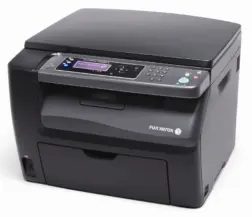
This printer is kind of annoying to get working so I thought I’d quickly document how to do it. Here are the steps I took. For reference, I have my printer connected to my router (a Fritzbox) via USB so it’s available to everyone on the network.
- Download the Fuji Xerox DocuPrint CM205FW drivers (yes the model is slightly different, but they’ll work). Right click the .inf file and install.
- Start – Printers and Scanners – Add Device – Add Manually
- Check Add a printer using IP address or hostname and hit next.
- Device Type: TCP/IP Device
Hostname or IP Address: 10.0.0.138 (or whatever your routers IP is)
Port name: 10.0.0.138 (Same IP as above. No idea why you need an IP instead of a port here)
Uncheck ‘Query the printer and automatically select the driver to use’. - Wait for windows to fail to detect the printer then change the Device Type drop down to Fuji Xerox DocuPrint. Hit next.
- On the Install the printer driver screen select Fuji Xerox – FX DocuPrint CM205 fw. Hit next twice.
- Check ‘Do not share this printer’, Next and Finish.
- Back in the Printers and Scanners window click the new printer, select Printer Properties. Select the checked 10.0.0.138 row and click Configure Port.
- Change protocol to Raw and uncheck SNMP Status Enabled. Hit OK.
Thanks to this post on whirlpool forums for the drivers.